
OpenAI embedding
Modern AI applications rely on embedding services that follow a standardized specification for generating numerical representations of text. LitServe provides an OpenAI-compatible Embedding API that allows seamless integration with existing AI tools and libraries.
Background
Embedding
Embeddings are numerical representation of texts that capture semantic meaning in a high-dimensional space.
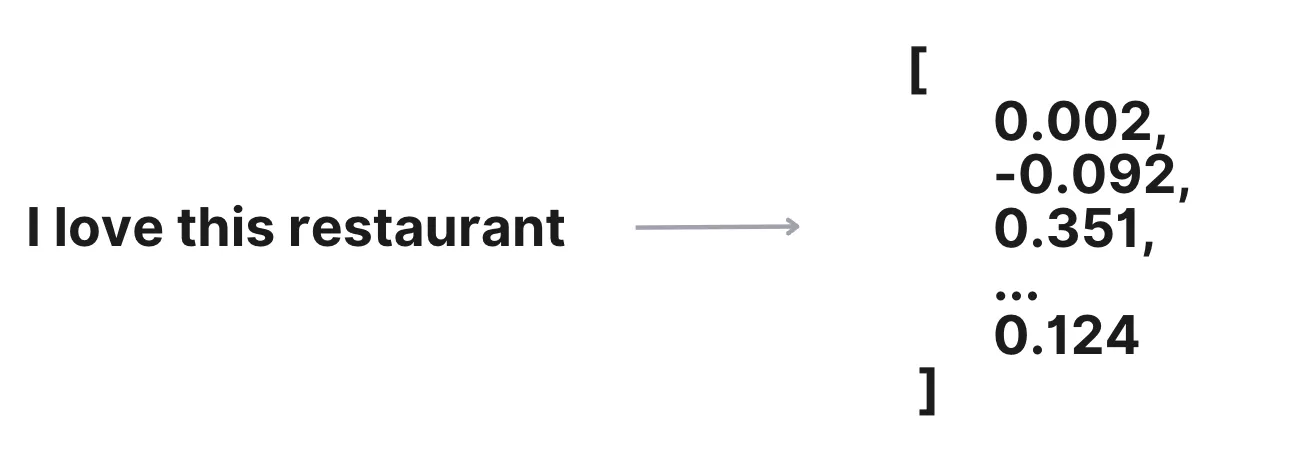
These numerical representations allow machines to understand and compare textual data efficiently, enabling applications like:
- Semantic search
- Recommendation systems
- Clustering
- Similarity comparisons
OpenAI
OpenAI provides an AI chatbot interface and APIs for tasks such as text generation, embedding, and audio transcription.

API
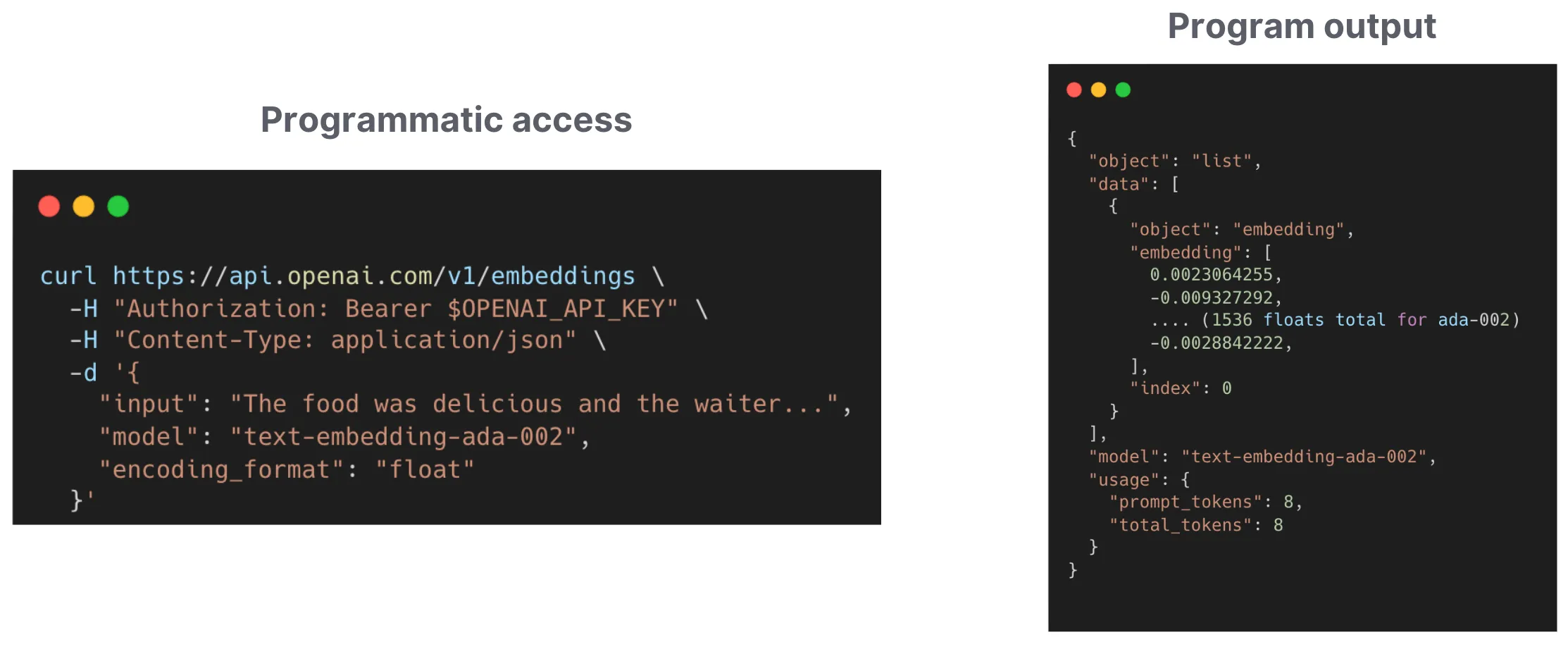
A model Application Programming Interface (API) is a programmatic way to access a model. It allows us to use the model through code.
OpenAI API
OpenAI services (like embedding, or chat completion) have a standard API specification for sending requests and receiving responses programmatically for embeddings generation and other tasks.
It is widely used by various AI tools and libraries like LangChain, Ollama, and LlamaIndex. Adopting this format simplifies integration for clients already working with OpenAI APIs.
API Request
To use an API, we send requests with input parameters such as texts. Every API has a specified structure for requests that clients must follow.
LitServe defines an EmbeddingRequest data structure based on the OpenAI input request specification. The input request includes a list of texts for embedding generation and other model-related parameters to control the embedding dimension and specify the input format.
Below is a typical sample input request:
{
  "input": "The food was delicious",
  "model": "text-embedding",
  "encoding_format": "float"
}
API Response
The API returns the response data in a format known to the client, allowing it to parse the response for further processing.
LitServe returns an EmbeddingResponse object based on the OpenAI Embedding response format, which contains a list of embeddings.
OpenAI embedding spec
LitServe simplifies the process of creating an OpenAI-compatible embedding server using the OpenAIEmbeddingSpec class.

The OpenAIEmbeddingSpec class offers the following functionalities:
- Defines OpenAI Embedding API standard endpoints (/v1/embeddings)
- Provides input and output data structures
- Performs input validation
- Implements default methods for
decode_requestand `encode_response```
Server
In this example, we set up an embedding API using a model from the SentenceTransformer library. Models created with SentenceTransformer provide the encode method, which takes a text input and returns a list of numbers representing the text.
We initialize the model in the setup method and define the predict method, which takes a list of texts as input and returns a list of floats. With OpenAIEmbeddingSpec, it is not necessary to implement the decode_request and encode_response methods, as OpenAIEmbeddingSpec provides default implementations.
from sentence_transformers import SentenceTransformer
import litserve as ls

class EmbeddingsAPI(ls.LitAPI):
    def setup(self, device):
        self.model = SentenceTransformer('all-MiniLM-L6-v2', device=device)

    def predict(self, inputs):
        # inputs is a string or list of string
        embeddings = self.model.encode(inputs)
        # return a list of floating point numbers
        return embeddings

if __name__ == "__main__":
    api = EmbeddingsAPI(spec=ls.OpenAIEmbeddingSpec())
    server = ls.LitServer(api)
    server.run(port=8000)
This setup allows you to use OpenAIEmbeddingSpec for handling embedding requests, where the predict method returns a list of embeddings (floating-point numbers) corresponding to the input text.
Client
Interact with the server by sending a request with a list of texts. The API will return a list of embeddings for the provided texts.
import requests

data = {
    "input": "Your text string goes here",
    "model": "model_name_here",  # Replace with the name of your LIT model
}
url = "http://localhost:8000/v1/embeddings"
response = requests.post(url, json=data)
print(response.json())
Batching OpenAI embedding
System throughput can be significantly increased by grouping multiple requests for batch processing on GPUs. LitServe supports batching with the OpenAIEmbeddingSpec.

To enable batching, set the max_batch_size and batch_timeout arguments in LitAPI as follows:
from sentence_transformers import SentenceTransformer
import litserve as ls


class EmbeddingsAPI(ls.LitAPI):
    def setup(self, device):
        self.model = SentenceTransformer("all-MiniLM-L6-v2", device=device)

    def predict(self, inputs):
        return self.model.encode(inputs)


if __name__ == "__main__":
    api = EmbeddingsAPI(max_batch_size=4, batch_timeout=0.4, spec=ls.OpenAIEmbeddingSpec())
    server = ls.LitServer(api)
    server.run(port=8000)
The OpenAI API reference for embeddings supports input as either a single sentence (a string) or multiple sentences (a list of strings). LitServe follows the same input format as the official OpenAI API. However, client-side batching—sending a list of sentences in a single request—is not supported when server-side batching is enabled.
Overriding decode_method
Overriding the decode_request method allows you to implement custom logic before the request is processed by the predictmethod. This can be useful for applying guardrails, such as detecting offensive texts.
The decode_request method expects an EmbeddingRequest, a Pydantic request schema based on the OpenAI API format, as an argument and returns a list of strings. The output of decode_request is then passed to the predict method.
In this example, we use the decode_request function to limit the length of the text input from the client.
import litserve as ls

class EmbeddingsAPI(ls.LitAPI):
    def setup(self, device):
        self.model = None

    def decode_request(self, request):
        if isinstance(request.input, str) and len(request.input) > 100:
             raise Exception("Text input with length > 100 not allowed")
        return request.input

    def predict(self, inputs):
        # return a list of floating point numbers
        return [0.1, 0.2, 0.3]

if __name__ == "__main__":
    api = EmbeddingsAPI(spec=ls.OpenAIEmbeddingSpec())
    server = ls.LitServer(api)
    server.run(port=8000)
Use OpenAI package
Query the server deployed with OpenAIEmbeddingSpec using the official OpenAI API client by following these steps:
from openai import OpenAI

client = OpenAI(base_url="http://localhost:8000/v1", api_key="required-not-used")
response = client.embeddings.create(model="text-embedding", input="The food was delicious", encoding_format="float")
print(response)
Conclusion
LitServe makes it easy to integrate OpenAI-compatible embeddings into AI applications. It simplifies the process of generating and using text embeddings for tasks like search, clustering, and recommendations.
Was this page helpful?
Thanks for the feedback.