
Interruptible machines
Use interruptible machines to save 50-80% on the standard machine costs. For example, a $4.00 GPU machine can cost ~$0.50 per hour when the machine is interruptible. This gets you way more power for your buck. The "catch" is that the machine can be interrupted at any time and you may experience file loss. However, in practice interruptions are rare, and in those rare cases, file loss is also extremely rare.
*Note: Upgrade to *paid tiers to start using interruptible machines
Switch to interruptible machines
Open the machine selector, turn on the "Interruptible" switch, and pick your machine. Once you’ve chosen, just hit "Confirm" to request the machine.
For BYOC, the Lightning AI cost stays the same. You’ll see the savings directly on your cloud bill.
Note: Interruptible machine prices can change, but they are always cheaper than non-interruptible options.
When selecting a machine, turn on the interruptible toggle and choose an interruptible machine. Savings can be seen for each instance.
Handling interruptions
Interruptions are rare, but they can occur. If they do, Studios and jobs immediately start saving to secure your work. You won’t be able to use them while saving. Cloud providers give Lightning AI a two-minute warning before shutting down the machine, Lightning AI uses that time to save as much data as possible.
If interruptible machines are interrupted, studios and jobs immediately start saving to secure your work.
Minimizing disruptions
Keep your work safe by building in these practices:
- Regular checkpoints: Save your data and checkpoints to disk at regular intervals. It’s a simple way to cut down on lost progress if an interruption occurs.
- Fault-tolerant workloads: Build your applications and workflows with fault tolerance in mind. Include mechanisms that let your workload pick up right where it left off if an interruption happens.
Default to interruptible
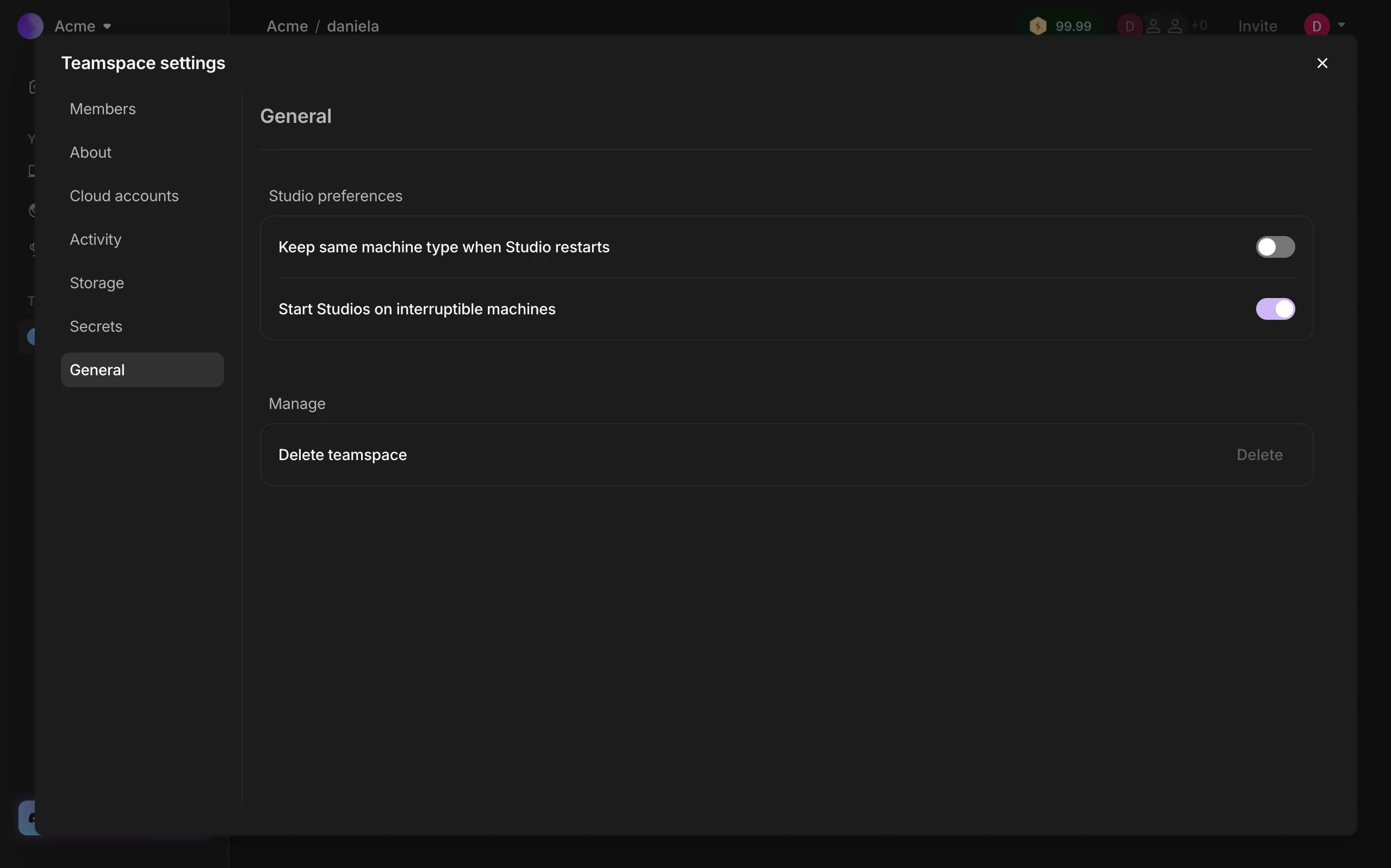
By default, Studios start on non-interruptible machines. If you want to save some credits, you can switch this setting to use interruptible machines instead.
To save money on your org's workloads, go to your Teamspace settings > General > Studio preferences > and switch on “Start Studios on interruptible machines.”
Tracking savings
Keep an eye on your credit savings from interruptible machines in the Activity tab of your teamspace or organization settings.
The activity tab within your teamspace or organization settings shows the money spent and saved using interruptible machines.
For a closer look at your spend, click an activity. You’ll see a detailed breakdown showing which machines were interruptible and how much you saved.
Click an Activity to see a closer look of the savings on interruptible machines.
Was this page helpful?
Thanks for the feedback.