
Shared filesystem
The steps within a pipeline can communicate with each other via the filesystem.
Train and Deploy Example
This example demonstrates how to set up a pipeline using the Lightning SDK to train a model and deploy a server application. By leveraging a shared filesystem within a Studio environment, the pipeline executes a training job and subsequently deploys the model on a server, showcasing seamless integration and operation.
from lightning_sdk.pipeline import Pipeline, JobStep, DeploymentStep, Studio

studio = Studio(name="train_and_deploy")

studio.start()
studio.run("git clone https://github.com/tchaton/pipeline_demo.git")

train_job = JobStep(
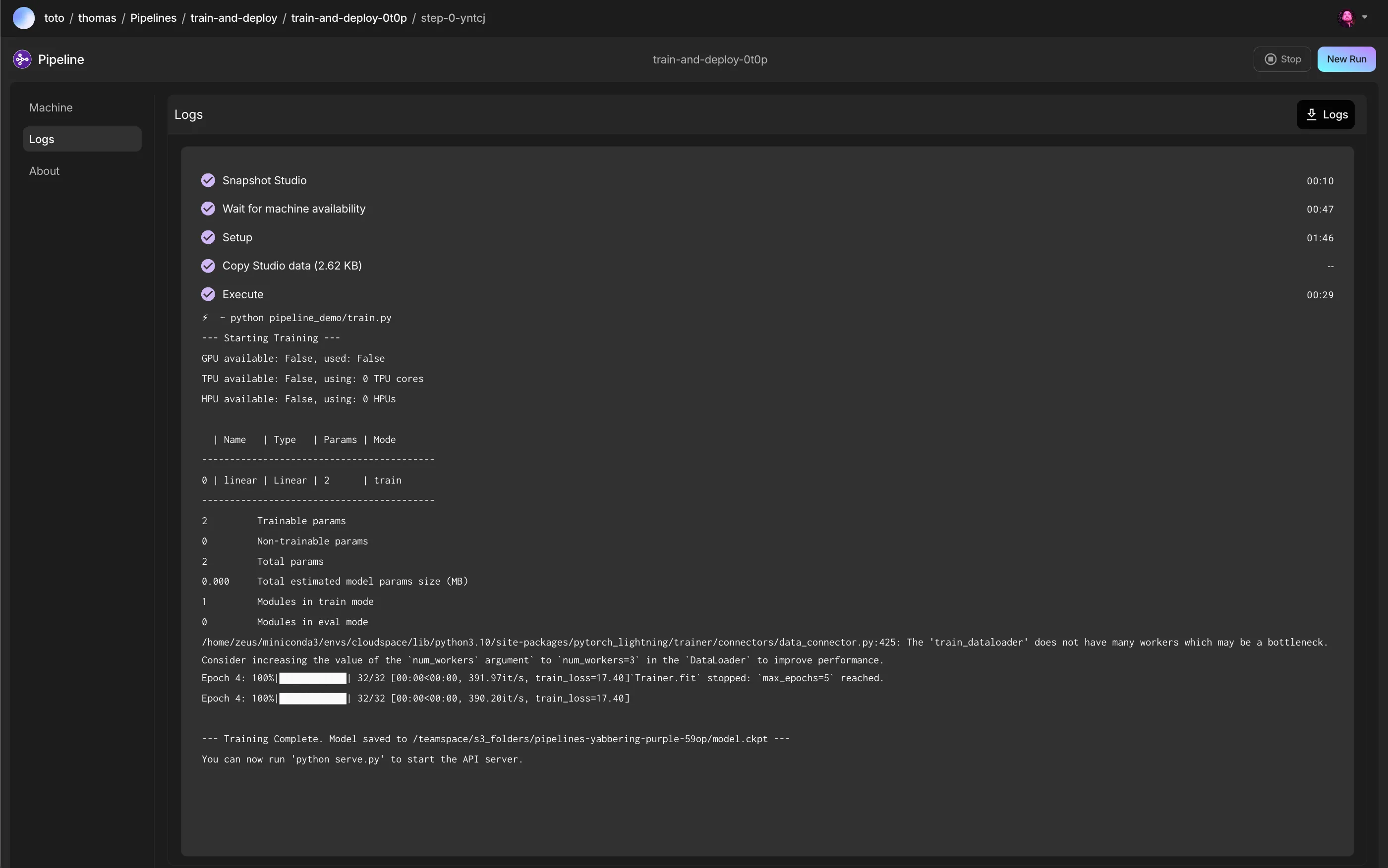
  command="python pipeline_demo/train.py",
  studio=studio
)

deploy_job = DeploymentStep(
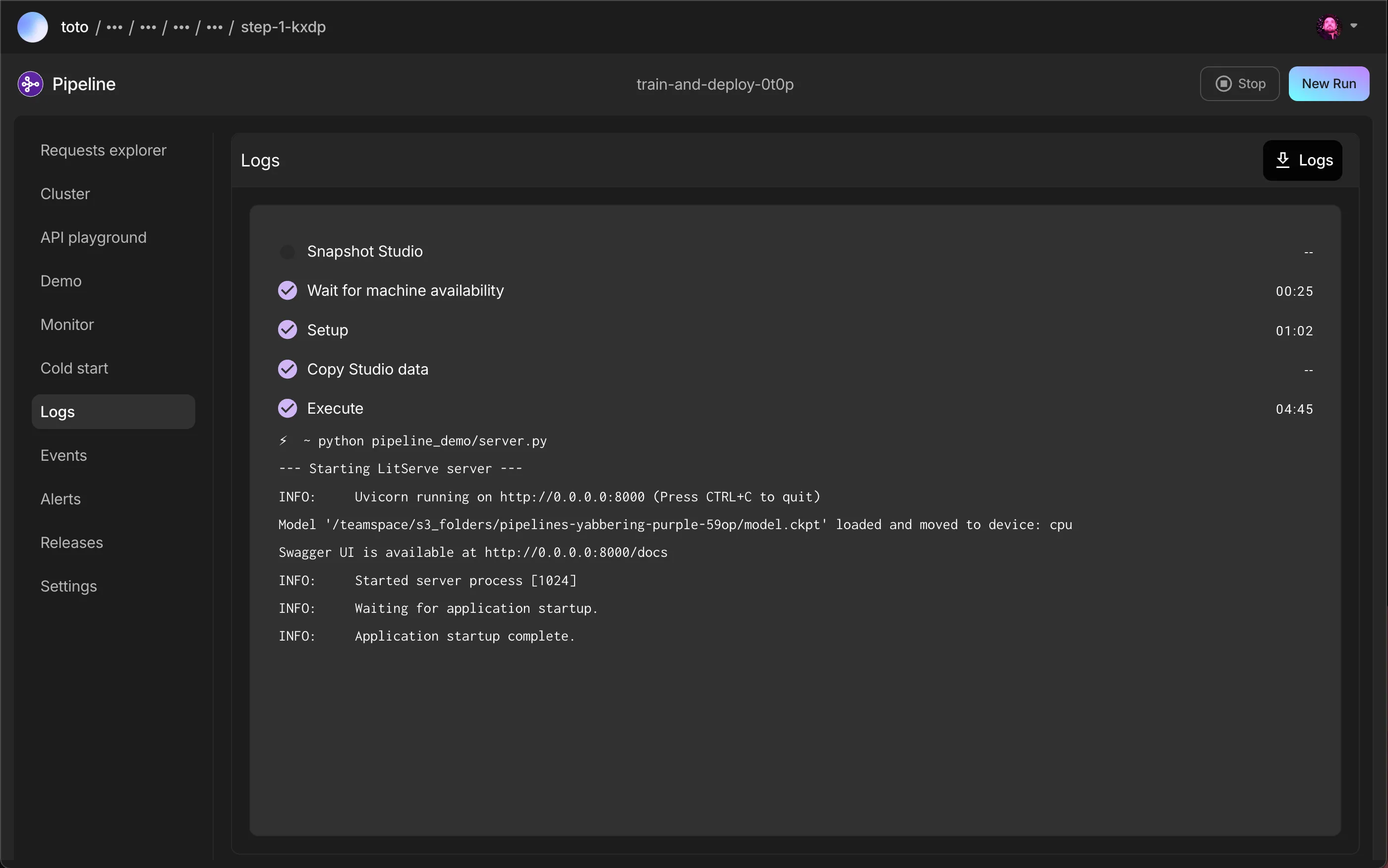
  command="python pipeline_demo/server.py",
  ports=[8000],
  studio=studio
)

pipeline = Pipeline(
    name='train_and_deploy',
    shared_filesystem=True, # Create a shared filesystem (s3_folder, gcp_folder, EFS, etc... depending on the tier)
)
pipeline.run(steps=[train_job, deploy_job])
In the train.py and server.py files of the https://github.com/tchaton/pipeline_demo.git repository, the location for saving or loading weights will utilize the PIPELINE_SHARED_PATH environment variable if it is defined. This allows for convenient sharing of data and model artifacts between different steps in the pipeline by specifying a common path.
import os

pipeline_shared_path = os.getenv('PIPELINE_SHARED_PATH', "")
checkpoint_path = os.path.join(pipeline_shared_path, "model.ckpt") if pipeline_shared_path else "model.ckpt"
When running this code, you would see the following:
> python examples/pipeline.py

────────────────────────────────────────────────────────────
✅ Pipeline 'train-and-deploy' created successfully!
────────────────────────────────────────────────────────────

Workflow Steps:
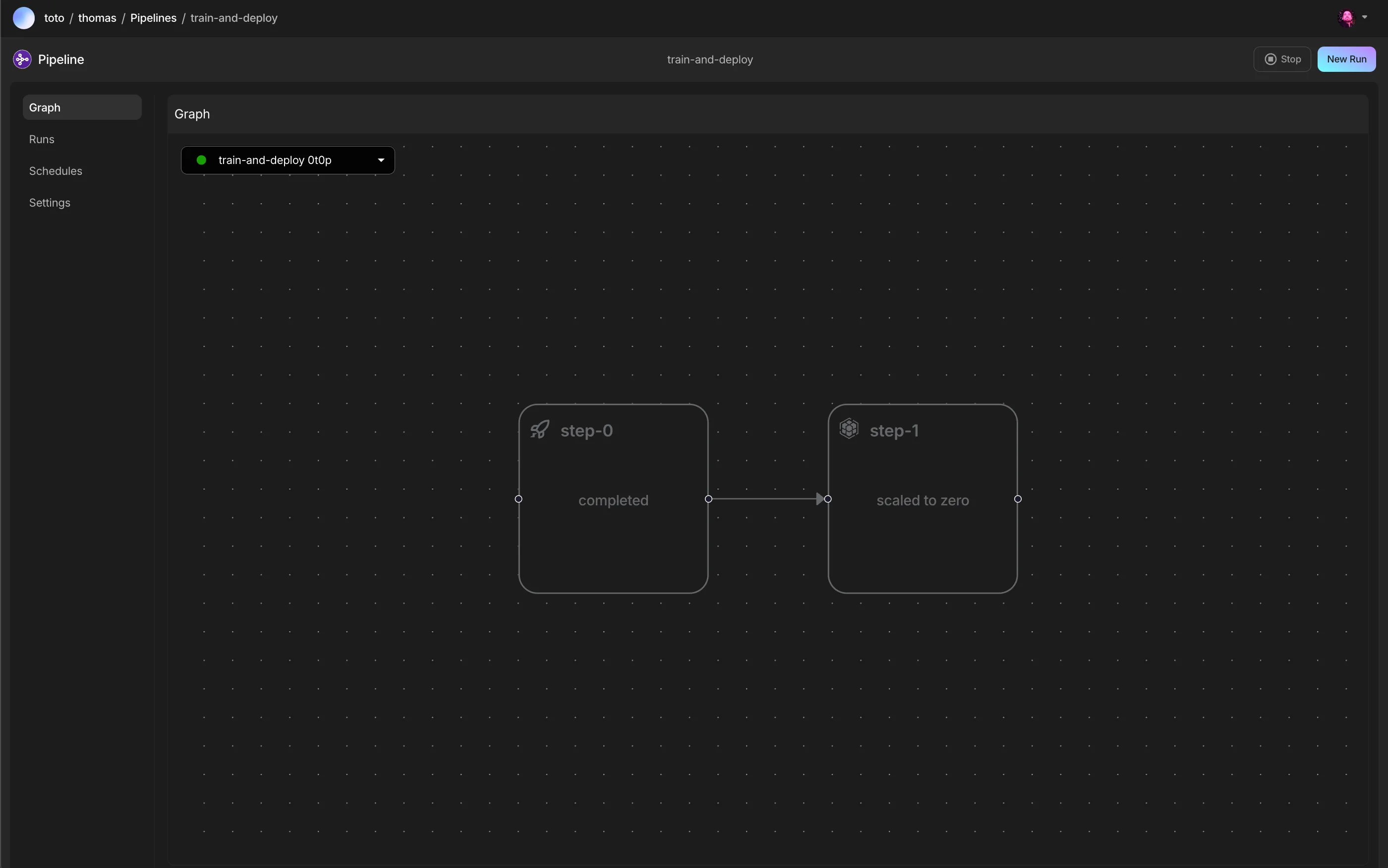
  ➡️ 1. Job 'step-0' - (runs first)
  ➡️ 2. Deployment 'step-1' -  waits for step-0

🗓️ Schedules:
  - No schedules defined.

Cloud account:
  - yabbering-purple-59op

Shared filesystem: True
  - /teamspace/s3_folders/pipelines-yabbering-purple-59op

────────────────────────────────────────────────────────────
🔗 View your pipeline in the browser:
   http://lightning.ai/lightning.ai/pipeline-demo/pipelines/train-and-deploy?app_id=pipeline
────────────────────────────────────────────────────────────
Resulting pipeline
Was this page helpful?
Thanks for the feedback.