
Host demos
Lightning AI allows hosting AI demos for people to play with your model. An AI demo is a very simple web app often built with Gradio or Streamlit which allows a user to see the outputs of a model.
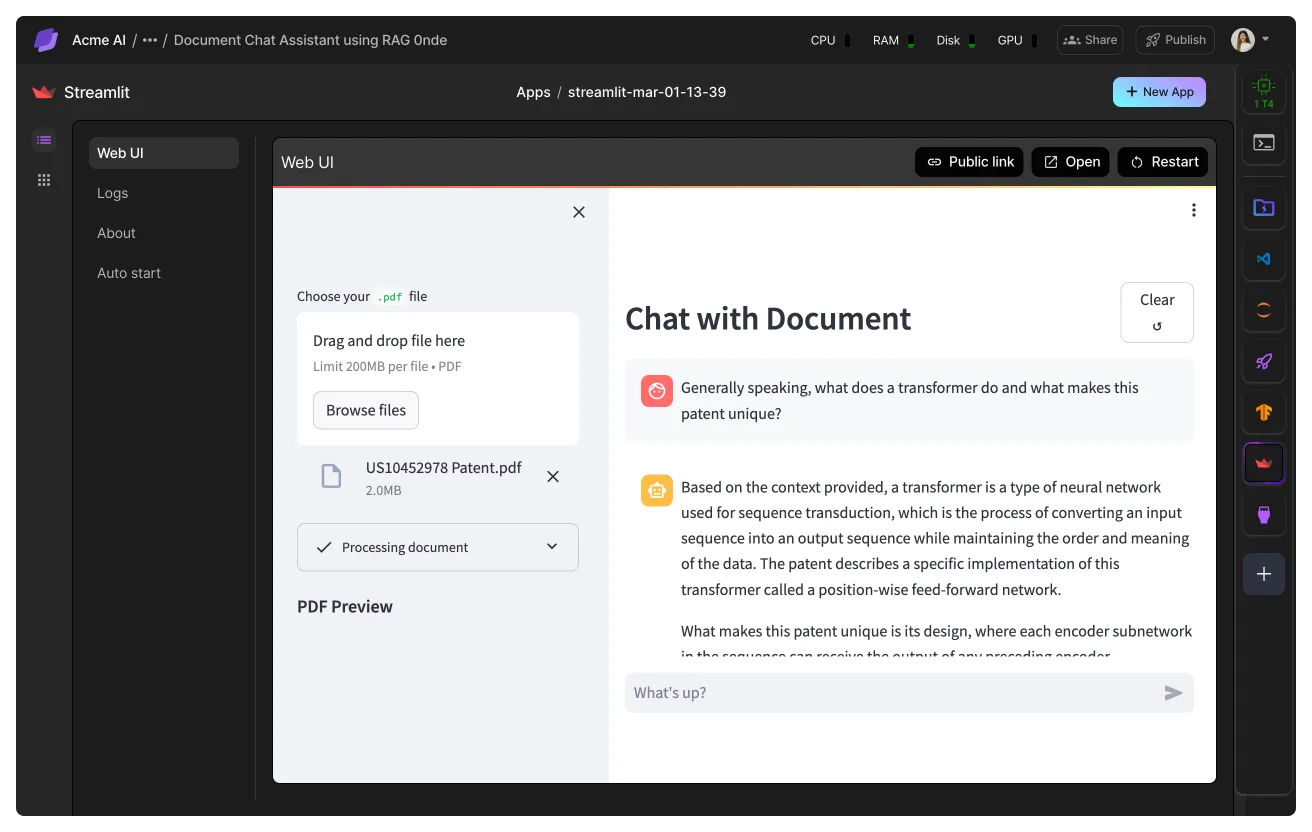
Start from a template
We recommend you find a template to something similar to what you want to build by visiting our Studio templates,
Use the Studio template to jumpstart your App creation.
Host demos free
Demos can be hosted for free by using your free running Studio and free credits. In this section, we explain a few ways to achieve that.
Free CPU model demos
If your demo is CPU only, then use your free running CPU Studio which will cost you nothing. Enable auto-start which turns off the Studio when the demo is not being used.
Use your free running CPU Studio if your demo is CPU only.
Free GPU model demos
GPU demos can also be free if you have a verified payment method on your account and your usage stays within the available free credits across all of your Studios.

Model demo frameworks
There are multiple frameworks available to build AI demos. These frameworks intermingle the front-end with the model code in full-stack Python. The alternative is to build a stand-alone web app and a stand-alone ML micro service which is desirable for production use cases.
Gradio demo
Gradio is a web frameworks that mixes the front-end code with the model code. It has prebuilt templates for different machine learning tasks (object-detection, classification, etc...). The advantage is that it is fast to develop a visual interface to share how a model performs without needing to know web development. We recommend using this for demos, but using a more traditional web framework for production use cases.
Use Gradio to quickly build a demo or web application for your ML model or API.
Streamlit demo
Streamlit is a web framework that mixes the front-end code with the model code. It has a similar event-loop to React but it is built in pure Python. Under the hood, it still generates valid React code, but it does not require the user to know web development. This is useful to build interfaces that require computational code like in AI/ML without needing a stand-alone web app.
Use the Streamlit plugin to create and deploy web apps for ML and Data Science.
Traditional web frameworks
If you know how to build web apps, need a high-performance front-end for a model targeting a production use case, we recommend you use a traditional web framework like React or Vue.js. In this case, the front-end is separated from the ML back-end which you can treat as a black box API.
On Lightning AI, you can use any web development framework as well. Here's an example of React
Use the React plugin to create a high performance web app.
Reduce costs
Here we describe a few options to lower the cost of hosting demos.
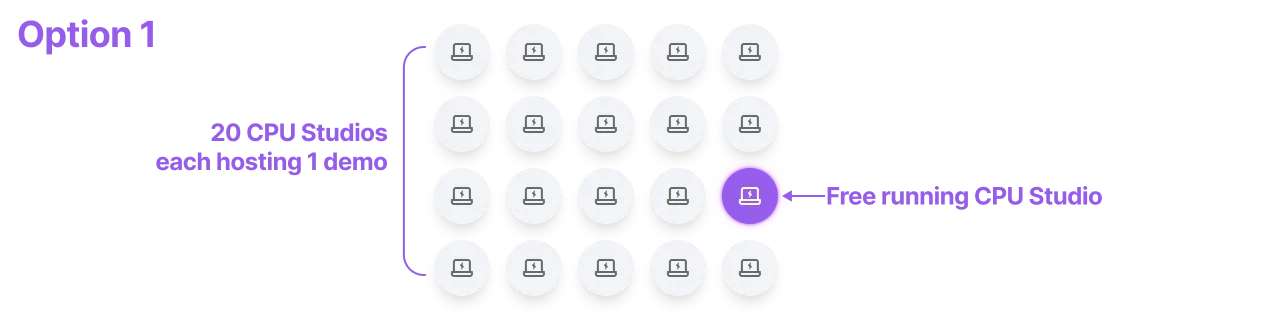
One demo per Studio
Option 1 is to set up one app per CPU Studio, enable auto start and turn them all of. You are not charged for sleeping Studios. If you believe that multiple apps will not be used at once, then it's likely that only one Studio is running at any one time. In this case, that Studio will be free. This means you can have 20 different Studios, each running an app; as long as only one runs at a time, you'll always stay under your free Studio quota.
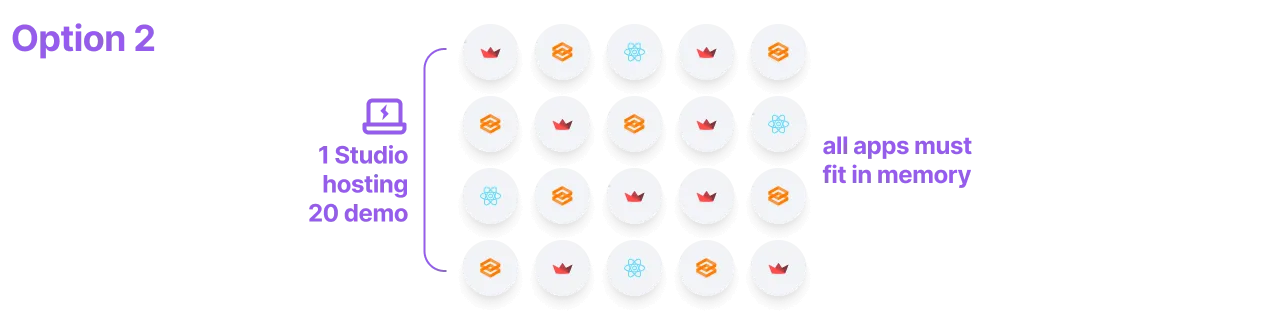
Host 2+ demos in one Studio
A second option is to run all 20 demos on a single Studio. As long as all demos fit in memory and the performance is what you want, then this guarantees that only 1 Studio is running at any one time which will keep everything free.
Enable auto-start
Auto-start is the main way to reduce costs by running the Studio only when someone visits the demo URL.
For example, let's say you are hosting a demo on a Studio. The Studio must run 24/7 to make sure when a user wants to use the demo, the demo is available. With auto-start enabled, the Studio automatically go to sleep when no one is using the demos. When someone visits the demo URL, the Studio will automatically wake up and show the demo. If you get one user for 5 minutes on one day of the week, you only pay for those 5 minutes (or it could be free if you still have free credits or a free CPU Studio).
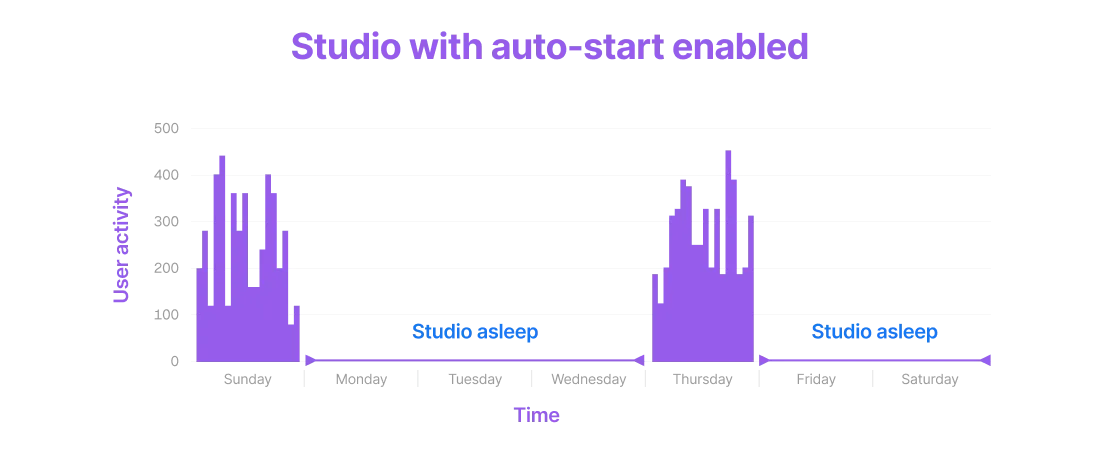
The downside to auto-start is that the time between requesting a URL and seeing the demo may be a few minutes (this is called the "cold-start" time). If you find that 1-2 minute delay is too slow, then consider running the demo 24/7 without auto-start.
Note: Lightning AI is always working toward reducing cold-start time. Every few months it gets faster and faster.
Studio vs Jobs
Demos can either be hosted via Studios or via Jobs. Studios allow interactive development and are great for debugging, testing or a simple demo where you don't want to worry about a "production" deployment. We recommend hosting demos on Studios for students, scientists, and developers looking for quick prototypes.
For use cases where you may need a production workflow, we recommend you submit a Job that runs the demo. This is likely overkill for a demo however. If you're looking for a more "production-ready" way to deploy models, you likely want to use the API builder plugin to deploy a model API.
Share demos
The main reason for building a demo is to allow anyone to play with a model to understand how it works. Lightning AI offers a few ways of sharing demos.
The main way to share a demo is to click the public link icon on the Studio plugin you're using, either Gradio, Streamlit or React.
Use the "Public link" button to share your web app.
To share a custom front-end or a custom demo exposing ports manually, simply use the ports plugin.
Use the port plugin to manually expose your app.
Was this page helpful?
Thanks for the feedback.